
Congratulations! You've downloaded a G5 game.
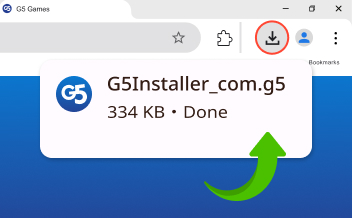
To find the downloaded file, press Ctrl + J to open your Downloads folder. You're just one click away from playing!
-
 1
1
Click to open
Click to open downloaded file in the corner of browser or in your Downloads folder
-
 2
2
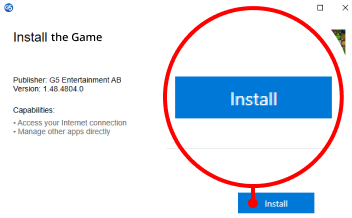
Install the game
Click the 'Install button in the Setup window that opens. The game will be launch automatically
-
 3
3
Start playing
Enjoy playing with the best visual on a big screen
Your download is safe and secure 
If the download does not start automatically, please click here: Update Download